
ashuni.lol - Play Subway Surfers Online | Ashuni Official
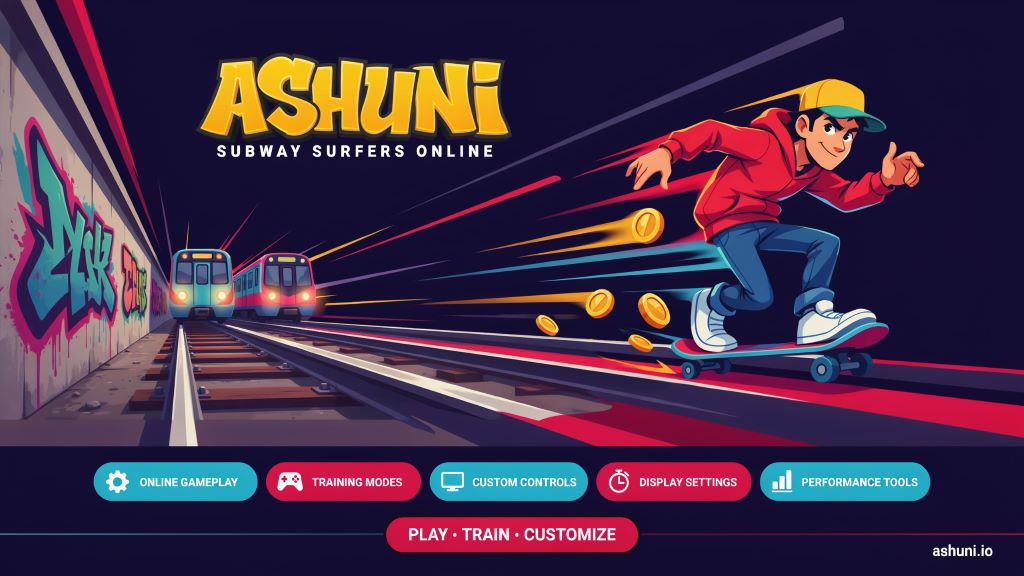
Ashuni is a browser-based platform centered on Subway Surfers, with an emphasis on web play, training, custom controls, and specialized gameplay features. The platform is designed to let users experience Subway Surfers through a web browser while providing additional settings for customization and performance.
What is Ashuni?
Ashuni is an online platform that allows users to experience Subway Surfers directly through a web browser. Instead of relying exclusively on a conventional mobile installation, the platform provides a browser-based interface with configuration options intended to give players greater control over their experience.
The platform provides Original and Training options, allowing users to approach the game in different ways. Its settings also provide several interface and control customization options.
Subway Surfers itself is an endless runner originally developed by SYBO and Kiloo. The official game continues to be distributed through supported platforms, including mobile devices and supported web environments.
What Happened to Ashuni.lol?
Although some users may encounter claims that Ashuni.lol has disappeared or stopped working, the website has remained accessible. The platform continues to present itself as an online Subway Surfers experience with gameplay and configuration options.
One notable change concerns the community surrounding the platform. Ashuni has displayed information indicating that its previous Discord server was lost and that users should use a newer official Ashuni Discord community for updates and support.
This suggests that the Discord community experienced a transition rather than demonstrating that the Ashuni website itself permanently closed. Website availability can change over time, so users should always check the current domain when accessing the service.
Standout Features of Ashuni
Browser-Based Gameplay
One of Ashuni's primary characteristics is its browser-based approach. Users can access the Subway Surfers experience through a compatible web browser without relying exclusively on the traditional mobile installation.
Original and Training Modes
Ashuni provides Original and Training modes. These options allow users to select the type of gameplay experience they want to explore.
Custom Key Mapping
Players can configure keyboard controls and assign different keys to movement directions. The interface supports keyboard-based gameplay and allows users to customize controls according to their preferences.
Fullscreen and Custom Resolution
Ashuni includes fullscreen functionality and custom resolution settings. These options can help players adapt the game display to different monitor sizes and desktop configurations.
Screen Stretch and Visual Settings
Users can adjust screen stretching and visual settings such as saturation. These controls provide additional flexibility for players who want to adapt the game's appearance to their setup.
FPS and Recording Tools
Ashuni includes FPS-related options and screen-recording functionality. Players can use these tools to monitor performance or capture gameplay sessions.
HUD and Gameplay Widgets
The platform also provides optional widgets for features such as a chronometer, keyboard controls, and FPS monitoring.
Why Is Ashuni Popular?
Ashuni's appeal comes largely from its combination of browser accessibility and gameplay customization.
Players interested in Subway Surfers beyond casual mobile gameplay can benefit from features such as keyboard mapping, training functionality, FPS controls, screen recording, and custom display settings.
The platform is also associated with the browser-based Subway Surfers and speedrunning community. This connection has helped make Ashuni recognizable among users interested in alternative ways to play Subway Surfers online.
Another factor is convenience. Players who prefer using a desktop or laptop can access the browser experience without treating a mobile installation as their only option.
What Can People Find on Ashuni?
Ashuni primarily focuses on Subway Surfers and related gameplay tools. Depending on the current version of the platform, users can find:
- Original Subway Surfers gameplay
- Training-oriented gameplay
- Custom maps or map variants
- Keyboard customization
- Fullscreen mode
- Custom resolution
- Screen stretching
- Saturation controls
- FPS monitoring
- FPS unlocking
- Chronometer functionality
- Keyboard control widgets
- Screen recording
- Configurable gameplay settings
How to Play Subway Surfers Online on Ashuni?
Playing Subway Surfers through Ashuni is relatively straightforward. Users can follow these general steps:
- Open the Ashuni website in a modern web browser.
- Wait for the Subway Surfers interface to load.
- Choose the available Original or Training mode.
- Adjust the keyboard controls if necessary.
- Select fullscreen mode or modify the display settings if desired.
- Start the game and use the configured keyboard controls.
- If the game fails to load correctly, refresh the page or use the cache-refresh option.
Ashuni also provides a cache refresh feature intended to help when cached data or service workers interfere with loading the game.
Players should also remember that the official Subway Surfers game is available independently through official distribution channels.
Alternatives to Ashuni
Official Subway Surfers
The official version from SYBO Games is an option for users who want the original publisher-supported Subway Surfers experience. It is distributed through official platforms and provides the standard game experience.
Poki
Poki provides Subway Surfers through a browser-based gaming environment. It can be considered by players who simply want to access the game online without using a specialized Ashuni-style configuration interface.
Other Browser Builds
The broader browser-based Subway Surfers community includes various web builds and related projects. These alternatives can differ in terms of accessibility, controls, customization, and available gameplay features.
The right alternative depends on whether a player prioritizes official support, simple browser access, training functionality, or specialized customization.
FAQs
Is Ashuni Safe to Use?
Ashuni uses HTTPS, providing an encrypted connection between the browser and website. However, HTTPS alone does not guarantee that every aspect of a website is completely safe.
For safer browsing, avoid downloading unknown files, do not provide unnecessary personal information, and consider using the official Subway Surfers distribution channels when you specifically want the publisher-supported version.
Is Ashuni Legal?
The legal status of a third-party browser implementation can depend on how the game is distributed, modified, or hosted and on applicable copyright and licensing rules.
Ashuni should therefore not automatically be treated as an official SYBO Games website. Users who want the publisher-supported version should use official Subway Surfers channels.
Does Ashuni Require a Fee?
The Ashuni website provides access to its browser interface without presenting an obvious mandatory subscription fee on the main page. However, users should distinguish the platform from the official Subway Surfers game and from any third-party services or advertisements they may encounter.
The official Subway Surfers game itself is free to play, with optional in-game purchases.
How to Have the Best Experience on Ashuni?
For a smoother experience, users can follow several basic practices:
- Use an updated web browser.
- Maintain a stable internet connection.
- Close unnecessary browser tabs.
- Use fullscreen mode when appropriate.
- Adjust the resolution to match your display.
- Configure the keyboard layout according to your preference.
- Enable FPS monitoring when troubleshooting performance.
- Use the cache-refresh option if the game fails to load.
- Avoid unnecessary browser extensions that may interfere with browser games.
Do I Need an Account to Use Ashuni?
The currently visible Ashuni interface does not indicate that a conventional user account is required simply to access the game. Users can load the website and interact with its gameplay and configuration settings without an obvious mandatory registration process.
Requirements can change as the platform develops, so users should check the current website if registration is requested.
Which Devices Does Ashuni Support?
Ashuni is primarily designed around web-browser gameplay, making a desktop or laptop with a modern browser a natural choice. Its keyboard-mapping and display settings are particularly suitable for computer users.
The official Subway Surfers game has broader platform support, including mobile devices. Players looking specifically for a mobile-native experience may therefore prefer the official version.
What Can I Do If Ashuni Is Not Working?
If Ashuni does not load correctly, try the following troubleshooting steps:
- Refresh the webpage.
- Clear the browser cache for the website.
- Use Ashuni's Cache Refresh setting.
- Disable browser extensions that may interfere with the game.
- Try another modern web browser.
- Check whether your internet connection is stable.
- Temporarily disable aggressive content blockers if appropriate.
- Open the game in a new browser tab.
- Check the current Ashuni community or support channels for service updates.
Ashuni's cache-refresh functionality can be particularly useful when cached data or service workers prevent the game from loading correctly.
Conclusion
Ashuni can be understood as a browser-focused Subway Surfers platform that combines online gameplay with training options and a range of customization features. Its keyboard controls, display settings, FPS tools, recording functionality, and browser-based accessibility make it distinct from a basic web game page.
The availability of Ashuni can change over time, and users should distinguish the platform from the official Subway Surfers distribution channels. For those looking for a customized browser-based experience, Ashuni provides a collection of tools centered around Subway Surfers.